
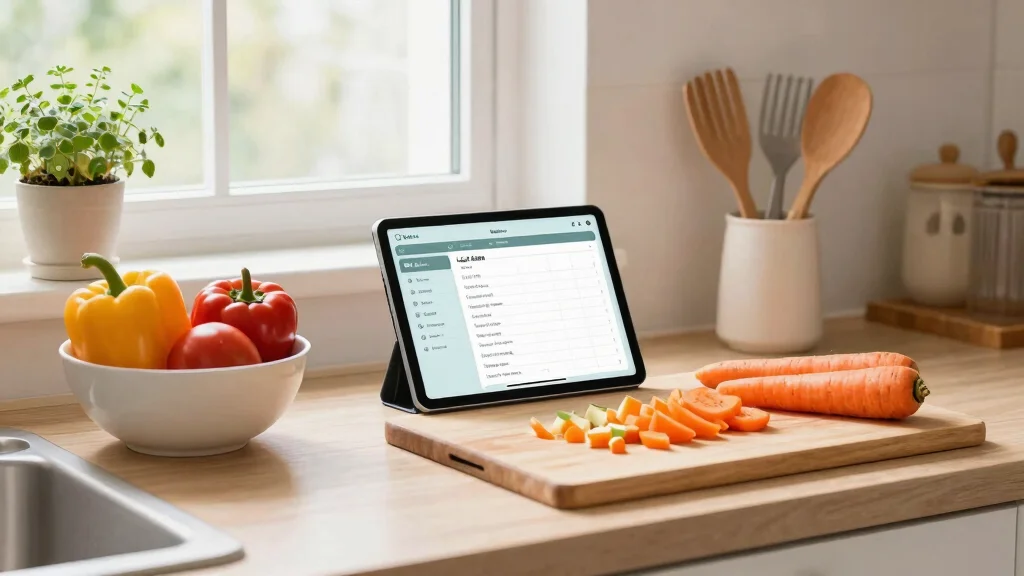
Mealtime stress is something many of us grapple with daily. You know that feeling when the clock is ticking, and dinner is just around the corner, yet you have no idea what to cook? I created this post because it’s time to say goodbye to that chaos. With the rise of technology, using AI for meal prep can save you both time and sanity.
Imagine having personalized meal plans, quick grocery lists, and recipe suggestions at your fingertips. It’s all possible — and surprisingly easy to implement.
If you’re looking for healthy inspiration to plug into your AI meal plan, check out our guide on 20 Fiber-Rich Meals That Are a Game Changer for Meal Prep Lovers.
This post is for busy individuals, families, and anyone who wants to take the hassle out of mealtime planning. If you’re tired of asking, “What’s for dinner?” every night or feeling overwhelmed by grocery shopping, you’re in the right place.
You’ll discover how to:
- Generate personalized weekly meal plans with AI
- Create automated grocery lists in seconds
- Adjust recipes based on dietary preferences
- Save time while reducing food waste
By integrating AI into your routine, you’ll simplify decision-making and eliminate last-minute stress.
By the end of this article, you’ll walk away with actionable tips on how to leverage AI for meal prepping. You’ll discover time-saving techniques that fit seamlessly into your busy schedule — so you can enjoy delicious meals without the usual stress.
Let’s transform your weeknight dinners into something smarter, smoother, and stress-free.
Key Takeaways
– Personalized Meal Plans: Learn how AI can create meal plans tailored to your dietary preferences and restrictions, making mealtimes easier and more enjoyable.
– Quick Grocery List Generation: Find out how AI can generate grocery lists in seconds, saving you time and ensuring you never miss an ingredient.
– Recipe Suggestions: Explore how AI can suggest recipes based on the ingredients you already have, reducing food waste and simplifying meal prep.
– Easy Meal Scheduling Reminders: Discover how to set up reminders for meal preparation, keeping you organized and on track throughout the week.
– User-Friendly Interfaces: Understand the importance of choosing apps with easy-to-navigate interfaces, making meal prepping a breeze for everyone.
Contents
- 1. Personalized Meal Plans with AI
- 2. Grocery List Generation in Seconds
- 3. Recipe Suggestions Tailored to Your Ingredients
- 4. Meal Prepping Made Easy
- 5. Nutritional Analysis at Your Fingertips
- 6. Save Favorite Recipes and Meals
- 7. Meal Scheduling Reminders
- 8. User-Friendly Interfaces
- 9. AI-Powered Cooking Assistance
- 10. Community and Sharing Features
1. Personalized Meal Plans with AI

Imagine having a culinary buddy who knows exactly what you love to eat! With AI meal prep tools, you can create meal plans that cater specifically to your tastes and dietary requirements. This takes away the stress of figuring out what to cook and ensures every meal is a delight. Plus, you’ll save money by avoiding unnecessary food waste and using what you already have in your pantry.
Quick Tips:
– Try apps like Mealime or Eat This Much for tailored plans.
– Keep your nutritional goals in mind when selecting recipes.
– Switch up your meal plans weekly to keep your dining experience exciting.
With personalized plans, you’re free to experiment with new dishes while staying true to your favorites!
Fun fact: AI meal prep can cut weekly grocery waste by up to 30% by turning your pantry into a precise shopping list. It creates personalized meal plans that match your tastes—and your dietary needs—in minutes.
Image credit: Digital Hustle Studio on Pinterest
Personalized Meal Plans with AI
Editor’s Choice





2. Grocery List Generation in Seconds

Creating a grocery list can feel like a chore, but AI takes the hassle out of it! Once your meal plan is ready, the AI quickly compiles a grocery list of all the ingredients you’ll need. This handy feature means you can shop confidently, either in-store or online, without forgetting anything essential. You can even sort items by grocery sections, making your shopping trip quicker and more efficient.
How to Optimize Your Grocery List:
– Check your pantry to avoid buying duplicates.
– Organize your list by sections like produce, dairy, and grains.
– Use apps that connect with your meal planning tool for a streamlined experience.
This feature not only saves you time but also makes grocery shopping a breeze.
Image credit: Holly Naylor on Pinterest
3. Recipe Suggestions Tailored to Your Ingredients

Got some ingredients in your fridge but unsure how to use them? AI meal prep tools can suggest delicious recipes based on what you already have on hand! Just input your available ingredients, and the AI will whip up a list of tasty options. This not only reduces food waste but also sparks your creativity in the kitchen. For instance, if you have leftover beans and veggies, the AI might recommend a savory casserole or a refreshing salad.
Get the Most Out of Your Ingredients:
– Stay open to trying new recipes.
– Use the AI’s suggestions as a foundation and add your personal flair.
– Explore different cuisines for fresh ideas.
This feature encourages you to make the most of your ingredients while having fun cooking!
Image credit: .christine on Pinterest
Recipe Suggestions Tailored to Your Ingredients
Editor’s Choice


![Freshware Meal Prep Containers [150 Pack] 1 Compartment with Lids, Food ...](https://m.media-amazon.com/images/I/71tWZiz-s7L._AC_UL320_.jpg)
![Freshware Meal Prep Containers [50 Pack] 1 Compartment Food Storage Cont...](https://m.media-amazon.com/images/I/81lBJ004NdL._AC_UL320_.jpg)
4. Meal Prepping Made Easy

Feeling overwhelmed by meal prepping? Let AI make it simpler! With step-by-step instructions for each recipe, you can easily navigate the cooking process. Many AI tools also share time-saving tips, like prepping all your veggies at once or cooking grains in bulk. This way, you’ll spend less time in the kitchen and more time enjoying your meals.
Meal Prep Tips:
– Choose a specific day, like Sunday, for meal prepping.
– Store meals in clear, labeled containers for quick access.
– Consider freezing portions for later enjoyment.
With this organized approach, healthy meals will always be at your fingertips!
Image credit: prettyreflected on Pinterest
Meal Prepping Made Easy
Editor’s Choice


5. Nutritional Analysis at Your Fingertips

Keeping track of your nutrition just got easier! Many AI meal prep apps provide detailed nutritional breakdowns for each recipe, helping you make informed choices. With just a few taps, you can view calories, proteins, carbs, and more. This is especially beneficial if you’re following a specific diet or aiming to maintain a balanced lifestyle.
Maximize Nutritional Benefits:
– Select recipes that align with your dietary goals.
– Adjust portion sizes to suit your needs.
– Use nutritional data to teach kids about healthy eating.
By leveraging these insights, your meals can be both delightful and nutritious!
Image credit: Devicology on Pinterest
You might also like


6. Save Favorite Recipes and Meals

With countless recipes available, keeping track of your favorites can be tricky. Thankfully, many AI meal prep tools allow you to save your go-to recipes for easy access later. When you find a dish you adore, save it in the app and organize it into categories like meal types or dietary preferences. This creates a personalized cookbook that grows with your culinary journey!
Tips for Organizing Your Favorites:
– Use tags for effective categorization.
– Share your favorite recipes with family and friends for inspiration.
– Revamp old favorites with new twists to keep things exciting.
Building your collection makes meal planning more enjoyable and rewarding!
Saving your favorite meals with AI meal prep turns chaos into a personal cookbook—tag, categorize, and revisit your week in minutes. It’s amazing how a few clicks can turn ‘picking dinner’ into a quick, stress-free routine.
Image credit: Peťula Sládková on Pinterest
How To Use AI for Meal Prep
Tools You’ll Need:
– A smartphone or tablet
– Meal prep app (like Yummly, Mealime, or Whisk)
– Internet connection
– Optional: a smart kitchen device (like a smart cooker or blender)
Step 1: Choose the Right Meal Prep App
Select an AI-powered meal prep app that suits your needs. Look for features like personalized meal planning, grocery list generation, and recipe suggestions. Check reviews to see how user-friendly and effective the app is for other users. ✔ Explore different options until you find one you love.
Step 2: Set Your Weekly Meal Goals
Decide how many meals you want to prep for the week. Consider your schedule and how many times you plan to cook. Do you need lunch, dinner, or both? Having a clear goal helps the app suggest the right recipes for you. ✔ Write down your preferences, such as dietary restrictions or favorite cuisines.
Step 3: Input Ingredients You Have
Open the app and enter the ingredients you already have at home. This helps the app suggest recipes that use what you already own, reducing waste and saving money. If you have leftovers, include those too! ✔ Aim to utilize these ingredients to create delicious meals.
Step 4: Generate Your Meal Plan
Use the app to generate a meal plan for the week. The AI will analyze your inputs and suggest recipes that fit your criteria. Make adjustments if you see something you don’t like. ✔ Try to balance your meals with protein, vegetables, and whole grains for nutritious options.
Step 5: Create a Grocery List
Once your meal plan is set, let the app create your grocery list. This feature saves time by compiling all the ingredients you’ll need in one place. You can modify this list based on what you already have and what you want to buy. ✔ Double-check your pantry before heading out.
Step 6: Set Reminders for Meal Prep Days
Schedule reminders in the app for when to prep your meals. Whether you choose to cook once a week or a few times, setting reminders helps you stay on track. Try to prep meals for a specific day each week, like Sunday afternoons. ✔ Stick to this schedule for better consistency.
Pro Tip:
Consider prepping double batches of recipes that freeze well. This way, you can save time later. Meals like soups, casseroles, and stir-fries often freeze beautifully. Store them in labeled containers for easy access during busy weeks. 🥘 Enjoy having ready-to-eat meals that you can thaw and heat in minutes!
7. Meal Scheduling Reminders

Ever forget to thaw chicken or realize you have no time to cook dinner? AI meal prep tools can send reminders for meal prepping and cooking times. You can set alerts to remind you when to start cooking or when to marinate your meat. This keeps you organized and prevents last-minute panic.
How to Make the Most of Reminders:
– Sync your reminders with your calendar for better planning.
– Use them as prompts to prepare ahead of busy days.
– Tailor notifications to fit your routine.
With these smart reminders, you’ll always be on top of your dinner plans!
Image credit: Carol P Bowden on Pinterest
8. User-Friendly Interfaces

Navigating a complicated app can be frustrating, but many AI meal prep tools feature user-friendly designs that everyone can enjoy! These apps often have intuitive layouts, making it easy to explore recipes, create grocery lists, and track your meals. Whether you’re a tech whiz or a beginner, you’ll appreciate the smooth experience these tools provide.
Choosing the Right Meal Prep App:
– Look for apps with positive user feedback.
– Check for video tutorials if you need extra guidance.
– Ensure the app receives regular updates for optimal performance.
A straightforward interface allows you to spend more time cooking and less time figuring things out!
Fun fact: 9 out of 10 AI meal prep users stay motivated because clean, intuitive interfaces cut meal planning time by half. Apps with clear layouts also boost weekly efficiency by about 20%.
Image credit: Fredrick’s Creative Empire on Pinterest
You Might Also Like


9. AI-Powered Cooking Assistance

Have you ever wished for a professional chef by your side? AI-powered cooking assistance can offer real-time tips, techniques, and even cooking videos! As you prepare your meal, you can ask your AI assistant anything, from how to perfectly chop an onion to checking if your steak is cooked just right. This interactive experience makes cooking fun and less intimidating.
Tips for Utilizing Cooking Assistance:
– Ask specific questions for personalized guidance.
– Follow along with video demonstrations for clarity.
– Use these tools to learn new cooking skills.
With AI support, you’ll gain confidence in the kitchen and unlock new culinary adventures!
Image credit: Tech Inspired Life on Pinterest
AI-Powered Cooking Assistance
Editor’s Choice


10. Community and Sharing Features

Many AI meal prep tools create a sense of community by allowing users to share their meals, tips, and stories. This social aspect can be incredibly motivating and fun! Connect with fellow users to swap your favorite recipes, discover new ones, or even collaborate on meal plans for special occasions. Sharing your successes and tips can enrich your cooking experience and make it more enjoyable.
Ways to Engage with the Community:
– Join forums or chat groups to share ideas.
– Post photos of your meals on social media to inspire others.
– Participate in cooking challenges organized by the app.
Engaging with a community adds a delightful layer to meal prep, inspiring you to try new dishes and savor the journey!
Image credit: Monét on Pinterest
Community and Sharing Features
Editor’s Choice


Conclusion

Embracing AI meal prep tools can truly transform your approach to cooking and mealtime. From personalized meal plans to the ease of generating grocery lists, these features not only save time but also make cooking fun and engaging. As you incorporate these tools into your life, you’ll discover that meal planning can be a stress-free and enjoyable experience.
So why not give it a try? Your kitchen (and your taste buds) will thank you!
Note: We aim to provide accurate product links, but some may occasionally expire or become unavailable. If this happens, please search directly on Amazon for the product or a suitable alternative.
This post contains Amazon affiliate links, meaning we may earn a small commission if you purchase through our links, at no extra cost to you.
Frequently Asked Questions
How can AI meal prep help me plan my weekly meals in minutes?
AI meal prep can turn mealtime planning from hours into minutes. Start by selecting your dietary needs, cooking equipment, and how many people you feed in your chosen AI tool. It will generate a complete plan for weekly meals that fits your schedule, plus a consolidated grocery list. Save time by using ready-made templates and letting the AI suggest leftovers you can repurpose. Batch-prep ideas, like cooking grains in advance or chopping veggies for multiple dinners, can boost time-saving results. Review the plan, swap any ingredients you dislike, and export the plan and shopping list in one click.
Which AI tools or apps are best for meal planning to save time?
Look for AI meal planning tools that offer: AI-generated weekly meal plans, customizable dietary filters, automatic grocery lists, batch-cooking suggestions, and calendar or reminder integrations. Try a free trial to see how much time-saving you actually get. For weekly meals, you want templates you can tweak, reuse, and scale up or down depending on your week.
How can I customize AI-generated meal plans to fit dietary needs and picky eaters?
Feed the AI your dietary needs, allergies, budget, and kitchen equipment. Ask for kid-friendly options or substitutions for foods you dislike. Use swap suggestions to replace ingredients without changing flavor. Create a default weekly rotation to keep meals varied yet predictable. Review and adjust portions to fit your family, so the time-saving benefits stay intact.
Can AI meal prep really reduce mealtime stress and food waste?
Absolutely. When you pre-plan with AI meal prep, decision fatigue disappears at dinner time, reducing stress. The AI generates balanced meals and exact portions, which cuts waste and saves money. Use leftovers creatively, and track what you actually cook to fine-tune future plans. Add a quick pantry audit each week to minimize waste and maximize time-saving across your week.
How do I get started with AI meal prep for a busy week?
Start simple: pick a planning day, enter your preferences, and generate a 3-4 day starter plan. Then expand to a full week and schedule a 60-minute batch-cook session. Use the built-in grocery list to shop once, then store meals in the fridge or freezer for easy access. Save your favorite meals as templates, so you can reuse them every week for consistent weekly meals without extra effort.
*This post contains Amazon affiliate links, meaning we may earn a small commission if you purchase through our links, at no extra cost to you.
Related Topics
AI meal prep
weekly meals
time-saving recipes
easy meal planning
stress-free cooking
family-friendly meals
quick dinner ideas
meal prep tips
beginner friendly
weeknight dinners
healthy meal prep
automated cooking


Leave a Reply